1
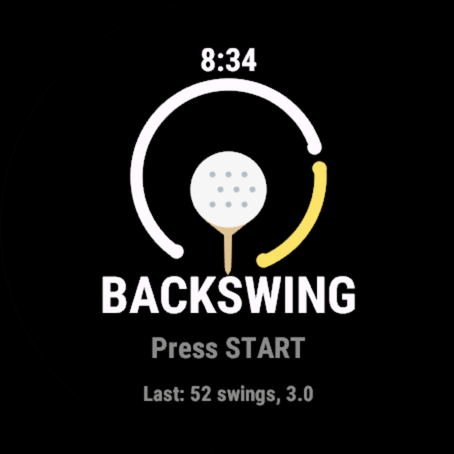
Pick a plan
Free range or a bucket plan, for example 10 wedges, 15 seven-irons, 10 drivers. Press START.
Golf swing tempo for Garmin
Backswing counts every full swing on the driving range, times your backswing against your downswing and puts a 3:1 tempo metronome on the Garmin you already wear. It learns your own swing first.
The ratio
Good players take about three times longer to take the club back than to bring it down to the ball. Backswing times both halves of every full swing with the watch's gyroscope and shows the ratio the moment you finish.
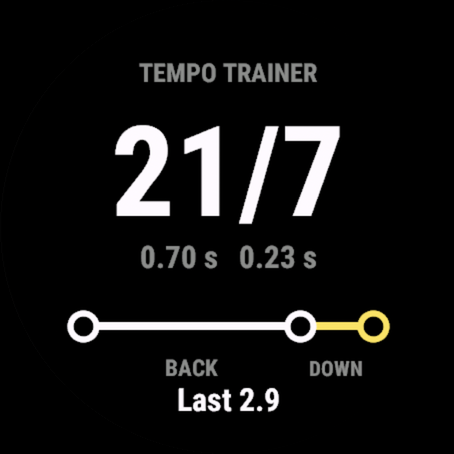
Drawn at 21/7: 21 frames back, 7 frames down, at 30 frames a second.
White. The swing landed inside your band around 3:1.
Orange. The backswing was rushed, the ratio came out low.
Blue. The backswing dragged, the ratio came out high.
You choose the band: ±5, 10 or 15 %. Every colour comes with a word, so it never depends on telling red from green.
“--” means the swing couldn't be timed cleanly. The ball still counts, and no tempo is guessed.
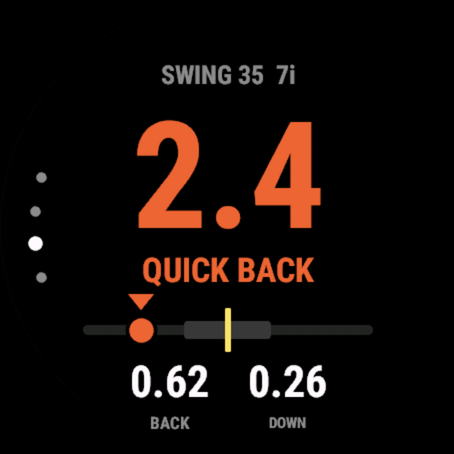
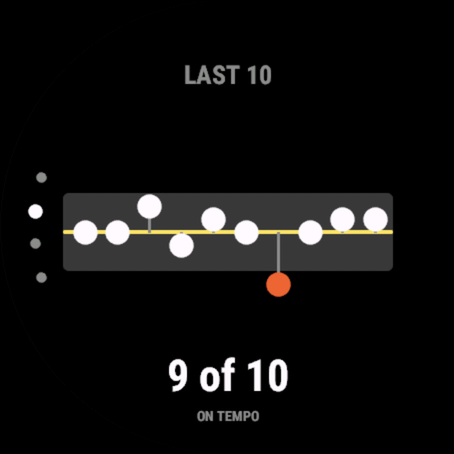
You don't touch the watch while you hit. You only look at it when you tee up the next ball.
Free range or a bucket plan, for example 10 wedges, 15 seven-irons, 10 drivers. Press START.
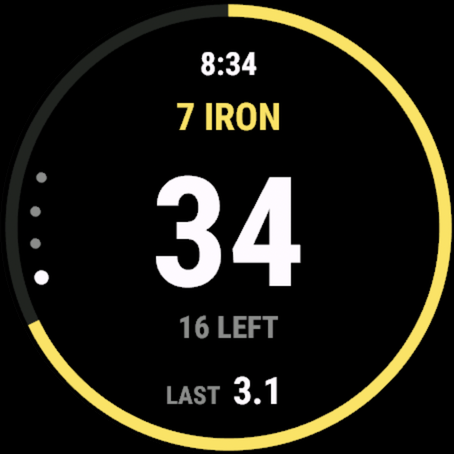
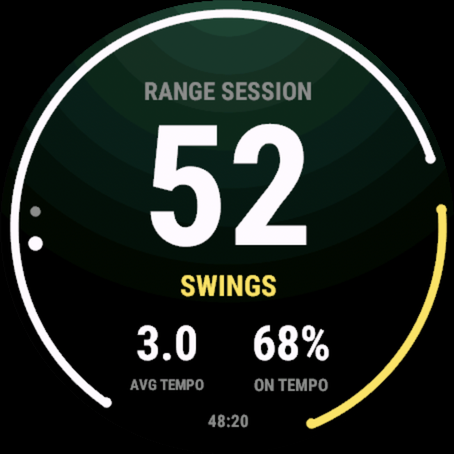
Every full swing counts itself and a short tap on the wrist confirms it. Two taps mean it was off tempo. A ring around the edge empties with your bucket.
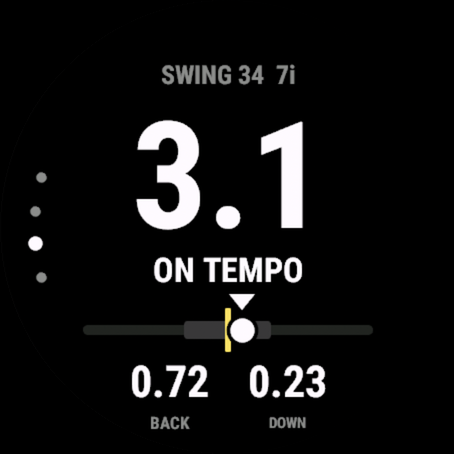
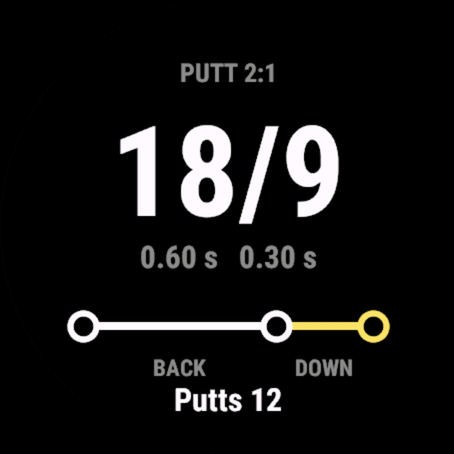
Your tempo is already on the screen in big numbers, with backswing and downswing in seconds and a bar with the 3:1 mark.
It learns your swing
No two golfers swing alike. So the first time, Backswing watches you hit a few balls and learns what your real swing feels like on your wrist, and how it differs from a practice swing.
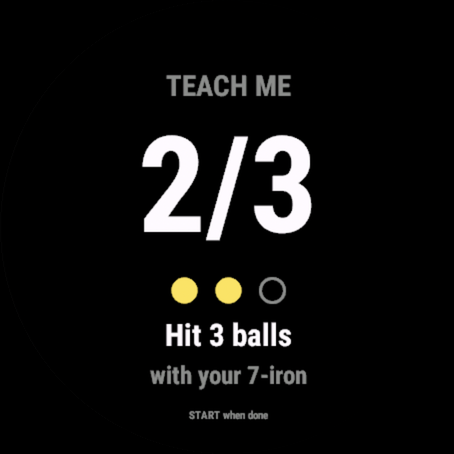
Hit 3 balls with your 7-iron, at your normal tempo.
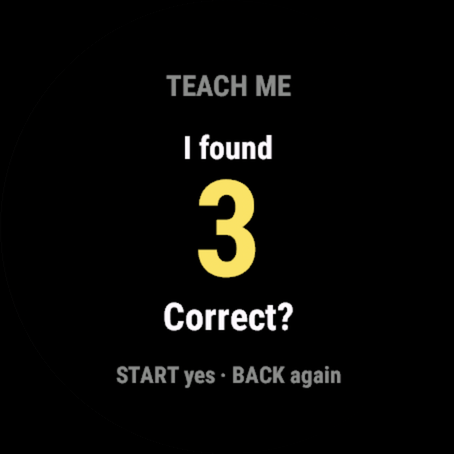
Confirm with one button. If it got the count wrong, hit them again.
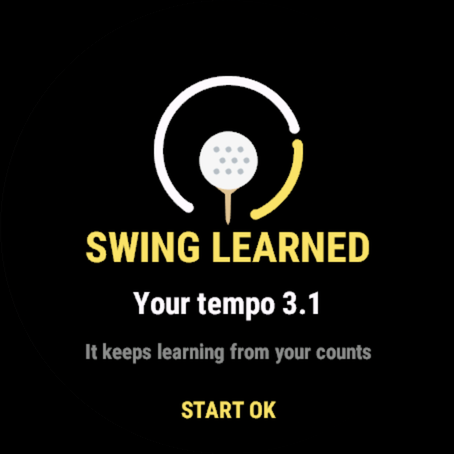
Swing three times without a ball. Now it knows a shot from a rehearsal.
Every session ends with one question: how many balls did you hit? If the watch counted one too many or missed one, it adjusts a little, never by much at once.
They show their tempo, so you can rehearse with feedback, but they don't add to the count.
Teach them in Settings › Re-teach, or let them start from your 7-iron.
Tempo trainer
Stand still over the ball and three beeps play: start back, top, impact. Swing along with them until the rhythm is yours.
Short strokes keep a 2:1 rhythm. The putting metronome runs from 14/7 to 22/11, so the stroke gets longer and the timing stays the same. START adds a putt.
Bucket plans
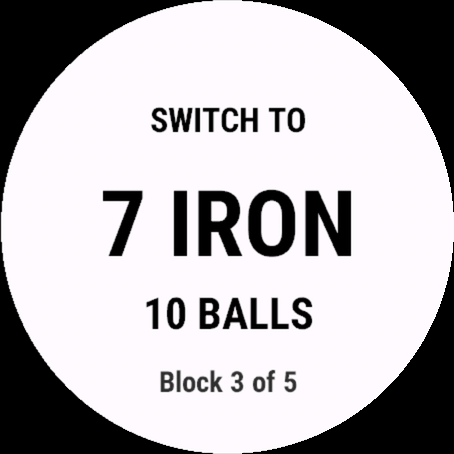
Split the bucket by club before you start. When a block is done, the whole screen turns white with the next club in huge letters and one long buzz.
Blocks of 5 balls through the clubs in your bag (set them once in My bag).
No plan, just a bucket size from 30 to 100 balls for the ring.
Garmin Connect
Each session is saved as a golf activity with your heart rate. Each ball is a lap with its club, backswing, downswing and tempo, or one lap per club if you prefer. The session keeps swings, average tempo, % on tempo and practice swings.
| Lap | Club | Back | Down | Tempo |
|---|---|---|---|---|
| 12 | 7i | 0.72 | 0.24 | 3.0 |
| 13 | 7i | 0.62 | 0.26 | 2.4 |
| 14 | 7i | 0.83 | 0.23 | 3.6 |
| 15 | 7i | 0.71 | 0.23 | 3.1 |
How the laps look, example values
Everything happens between two balls. The rest stays out of your way.
One short tap on the wrist: counted. Two taps: counted, but off tempo.
Walking, teeing up, waggles and practice swings stay out of the count.
Counted one you didn't hit, or missed one? Fix it in the session menu.
The time of day always sits on top, so you know when the bay is up.
A strip of your last 10 swings, and your tempo by club at the end.
Lead or trail wrist, right- or left-handed. The lead wrist gives the cleanest tempo.
Buttons only, no touchscreen needed, so the glove stays on.
Works offline. No phone, no club sensors, no account.
The app follows your watch's language.
Your watch knows how your arm moves. It doesn't know what the ball did. Backswing measures timing, the one thing a wrist measures well.
Full swings, backswing time, downswing time, the tempo ratio and your heart rate.
The club (or the plan picks it), the plan and how strict the on-tempo band is.
Club speed, carry, direction or face angle, and it doesn't know which club you hold. A launch monitor is for those.
Tempo is measured with the watch's gyroscope. On watches without one, Backswing counts swings and plays the metronome. It doesn't guess your tempo.
Watches with a gyroscope
Watches without a gyroscope
Check your exact model on the Connect IQ Store page.
Pay once in the Garmin Connect IQ Store. No subscription, no account, no companion app.
Your lead wrist gives the cleanest tempo: left for right-handed golfers. The trail wrist works too. Tell Backswing which hand leads and which wrist the watch is on the first time you open it.
Swings differ a lot from golfer to golfer. Three balls with your 7-iron and three practice swings without a ball show Backswing what a real shot and a rehearsal feel like on your wrist. After that it keeps adjusting a little from the count you confirm at the end of each session.
Golfers with very different swing speeds tend toward the same ratio. What changes is the overall speed, which is why the trainer has five speeds. Start with the one Backswing suggests from your own swing.
Switch the metronome to vibration only. The three pulses keep the same timing as the beeps.
Chips and putts are too gentle to tell apart from moving around, so they don't count on their own. In putting mode, START adds each putt.
No. They show their tempo, so you can rehearse with feedback, but only swings that hit a ball add to the count.
Backswing uses only the watch's own motion sensors, so it doesn't need to see the ball: a mat, a net or a simulator bay are all the same to it.
No. Everything runs on the watch. The activity syncs to Garmin Connect the next time your watch syncs.
The swing was counted, but its timing wasn't clean enough to trust. Backswing doesn't show a tempo it couldn't measure.